
What "withdrawalConfig: BindFirst" Means for Your PHRUSH Account
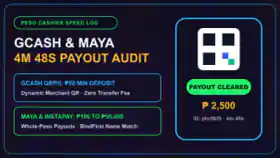
Many casual players register a new account, deposit ₱200 via GCash, hit a lucky ₱1,500 win, and only then tap the Withdraw tab-where they get hit with a mandatory security setup wall. In the live operator config on 0000rush.com (merchant phrtlbf5), the cashier runs with two active security parameters: withdrawalConfig: "BindFirst" and withdrawDisplayMode: "Slide".
Together, these rules require every player to establish a permanent KYC name record, a 6-digit numeric Asset PIN (sometimes labeled Transaction Password), and at least one verified payout destination before the cashout screen will accept a withdrawal amount.
Three-Minute Walkthrough: Setting Your Asset PIN & Binding GCash/Maya
Complete these three steps immediately after creating your account-before you deposit a single peso:
- ACreate Your 6-Digit Numeric Asset PIN: Tap the "Withdraw" or "Security Center" icon. The system will prompt you to create a 6-digit numeric withdrawal password. Choose a unique 6-digit combination that is different from your login password and different from your personal GCash MPIN.
- BEnter Your Exact Legal Name (Permanent Lock): Next, tap "Add Withdrawal Account." In the Account Holder Name box, type your exact legal name as it appears on your government ID and your verified GCash/Maya profile (for example,
JUAN DELA CRUZ). Once saved, the system locks this name across all future wallets you bind. - CBind Both Primary GCash and Backup Maya Numbers: Enter your 11-digit GCash number (
09XXXXXXXXX) and confirm with your 6-digit Asset PIN. Immediately repeat the process to add your Maya wallet or local bank account so both rails are pre-approved before you ever hit a big win.
Common BindFirst Mistakes and How to Fix Them
Because the operator's anti-fraud system prevents hackers from swapping out a player's GCash number, any typo you make during the BindFirst step cannot be edited by yourself inside the app. Check the table below if you run into a binding error:
| Binding Mistake | System Behavior | How to Resolve It |
|---|---|---|
| Misspelled Your Legal Name or Used a Nickname | Withdrawal bounces during InstaPay/GCash name-match verification. | Contact 24/7 Live Chat with a photo of your valid Philippine ID and a screenshot of your verified GCash profile page to update the locked name. |
| Typed 10 Digits Instead of 11 Digits for GCash | Payout fails immediately with "Invalid Account Number." | Ask Live Chat to unbind the mistyped wallet slot so you can re-bind the full 11-digit 09XXXXXXXXX number. |
| Forgot Your 6-Digit Asset PIN | Five wrong attempts lock the withdrawal panel for 24 hours. | Stop guessing after 2 wrong tries! Use the SMS OTP reset option or request a PIN reset via Live Chat after verifying your bound phone and last deposit receipt. |
| "Wallet Number Already Bound to Another Account" | Blocks binding because the GCash number was used on an old login. | Never create a second account. Recover your original account via our login recovery guide instead. |
Lock in your 6-digit Asset PIN and verified GCash/Maya numbers now so your future cashouts clear without manual KYC holds.
After binding your wallet and 6-digit PIN, check our peso payment cashier guide for live limits, read how to clear required turnover withdrawal holds, and see how our Ortigas desk verifies payouts.
PHRUSH Frequently Asked Questions
Is the 6-digit Asset PIN the same as my GCash MPIN?
No. Your GCash MPIN is only 4 digits and belongs strictly to your GCash app. The PHRUSH Asset PIN is a 6-digit security code you create inside the casino cashier to authorize withdrawal requests.
Can I delete or change my bound GCash number by myself?
No. To protect players against account takeovers, bound e-wallet numbers cannot be edited or deleted directly by the user. If you lose your SIM card and get a new GCash number, you must verify your identity with 24/7 Live Chat to unlink the old wallet.
Why should I bind my Maya wallet at the same time as my GCash wallet?
Adding a new payout method right after winning a large jackpot can occasionally trigger a brief security review. Binding both your GCash and Maya wallets on day one ensures both payout lanes are pre-verified.